
A Human-Centered Smart City Reporting App
We believe that every resident deserves to feel safe in their community. Brantforward is more than just a reporting app, it's a bridge between neighbors, city officials, and everyone who calls Brantford home. Through our research and design process, we've learned that the best solutions come from truly listening to the people who will use them. This project represents our commitment to creating something that doesn't just work in theory, but actually makes a difference in people's daily lives.
Overview
This case study documents our journey in designing Brantforward, a community-driven safety reporting application for Brantford residents. We set out to create a tool that empowers people to report safety concerns quickly and easily, while fostering a sense of shared responsibility for our neighborhood's wellbeing.
Through extensive research, testing, and iteration, we discovered that the real challenge wasn't just building another reporting app, it was understanding how people naturally think about safety concerns and designing around those mental models. Our solution prioritizes checking existing reports before creating new ones, uses plain language over technical terms, and puts the community map front and center.
Project Description
Brantforward Overview
Brantford residents face a common frustration: seeing safety concerns in their neighborhood and not knowing if anyone's doing something about it. Is that broken streetlight already reported? Has someone flagged that pothole on Darling Street? Without an easy way to check or contribute, concerns often go unreported, or worse, get reported multiple times, overwhelming city resources.
Brantforward addresses this by creating a collaborative ecosystem where residents can:
- See what's already been reported on an interactive live map
- Submit new safety reports in just a few taps
- Support existing reports to show community consensus
- Stay informed about what's happening in their neighborhood
The app isn't meant to replace official city channels but rather complements them by organizing community input and preventing duplicate reports, making everyone's voice heard more effectively.
Problem Statement
The Challenge
Residents in Brantford often feel unsafe or unsure how to report minor urban issues, such as poor lighting, overflowing waste, or damaged sidewalks. Existing systems are slow and lack updates, leading to frustration and disengagement from civic participation.
Our Problem Definition
Currently, Brantford residents lack a centralized, community-driven platform to report and track neighborhood safety concerns. This creates several challenges:
- •Information gaps: People don't know if their concern has already been reported
- •Duplicated effort: The same issue gets reported multiple times through different channels
- •Lack of visibility: Residents can't see what problems exist nearby or what's being addressed
- •No community voice: There's no way to show collective support for urgent issues
- •Accessibility barriers: Existing reporting methods can be complicated or unclear
These challenges mean that some safety concerns slip through the cracks while city officials get flooded with redundant reports. Our team set out to design a solution that makes reporting easier, prevents duplication, and builds community awareness around local safety issues.
Design Process
We followed human-centered design principles throughout our journey, constantly learning from real users and refining our approach.
Phase 1
We started with surveys and interviews to understand how Brantford residents currently think about and report safety concerns. What we learned surprised us—people wanted to help, but didn't know where to start.
Phase 2
Armed with insights, we used storyboarding and brainstorming sessions to generate ideas. We sketched out user flows, debated features, and started building our first low-fidelity prototype.
Phase 3
This is where things got real. Through think-aloud testing and contextual observation, we watched actual users interact with our mid-fidelity prototypes. We learned that our assumptions didn't always match reality.
Phase 4
We conducted quantitative usability testing with precise metrics and heuristic evaluations based on Jakob Nielsen's principles. The numbers told us what was working—and what still needed work.
Design Evolution
Research & Methodologies
Understanding user needs through multiple research methods
Surveys & Interviews
BreadthThese gave us breadth—understanding general attitudes, pain points, and what residents wished existed. We learned that people care deeply about their community but felt disconnected from city processes.
- 7 participants
- 18+ responses
Think-Aloud Usability Testing
DepthThis gave us depth—hearing participants narrate their thought process helped us understand confusion points we never would have caught otherwise. "Wait, what does 'upvote' mean?" was a lightbulb moment.
- Real-time feedback
- Cognitive insights
Quantitative Usability Testing with Contextual Observation
ProofThis gave us proof—objective metrics like task completion rates (70-100%), efficiency scores (55-95/100), and time-on-task measurements showed us exactly where our design succeeded or struggled.
- Task completion: 70-100%
- Efficiency: 55-95/100
- Measurable insights
Heuristic Evaluation
Best PracticesUsing Nielsen's 10 usability principles, we systematically assessed our design against established best practices, catching issues like poor error prevention and unclear iconography before they became bigger problems.
- Nielsen's 10 principles
- Systematic assessment
Secondary Research
FeasibilityWe interviewed an IT expert to understand the technical feasibility of our solution, learning about database architecture, privacy considerations (GDPR), and realistic development timelines (1.5 months with 2-3 developers).
- IT expert consultation
- GDPR compliance
- 1.5 month timeline
Comparative Analysis
Understanding the competitive landscape and identifying opportunities for differentiation
We analyzed existing civic engagement platforms and reporting systems to understand their strengths, weaknesses, and gaps that Brantforward could address.

Strengths Identified
User-friendly interfaces, real-time tracking, and community engagement features
Gaps Found
Limited two-way communication, lack of transparency in progress updates
Our Opportunity
Bridge communication gaps with collaborative environment and recurring issue tracking
Findings from interviews and surveys
Key insights that shaped our design direction
INTERVIEW INSIGHT #1
Students do not feel taken seriously
Students often do not feel taken seriously by teachers (and adults in general) and feel that they are unable to present their ideas to others.
INTERVIEW INSIGHT #2
Students want to have a noticeable influence
Many students think about local issues and many would seek a solution to them, as they are part of a motivated and 'fit' group and their efforts have tangible impact.
INTERVIEW INSIGHT #3
Students hardly know local role models
Few of the students surveyed knew people from their environment who are committed to society.
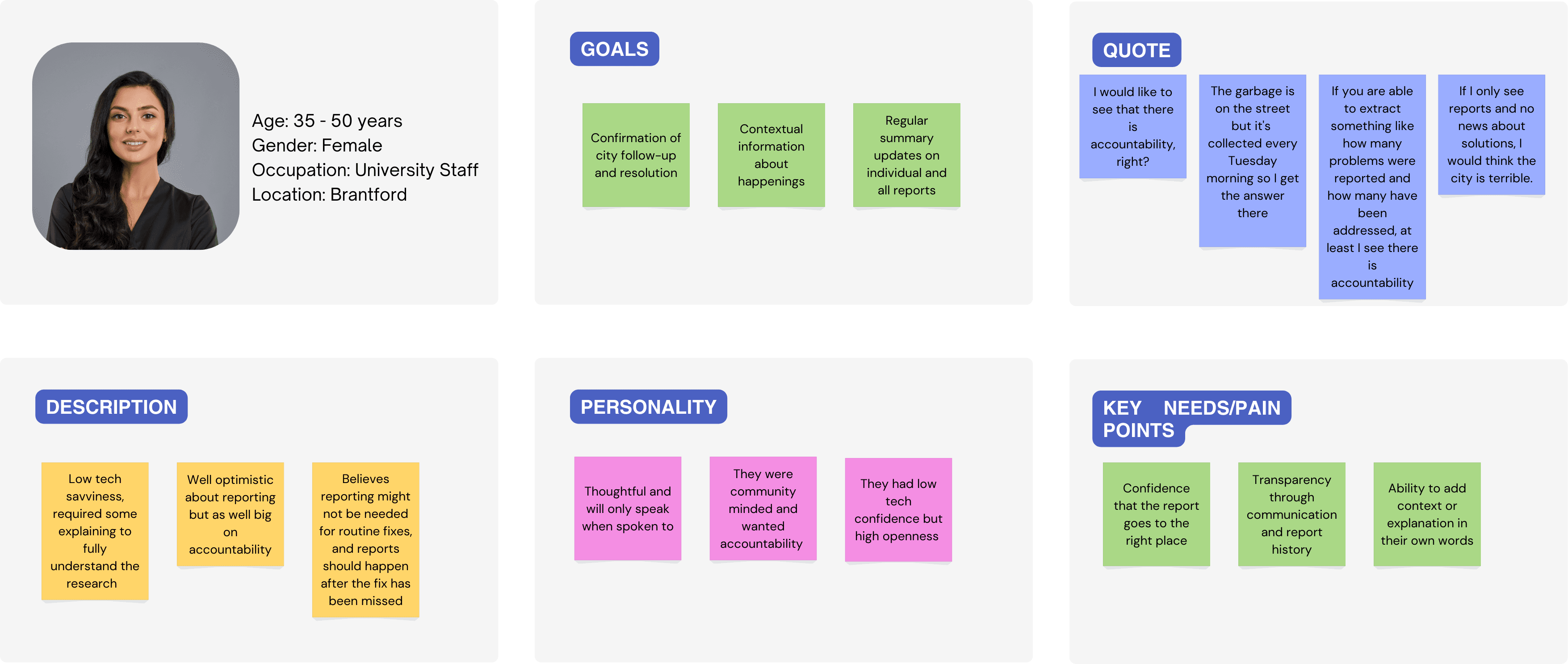
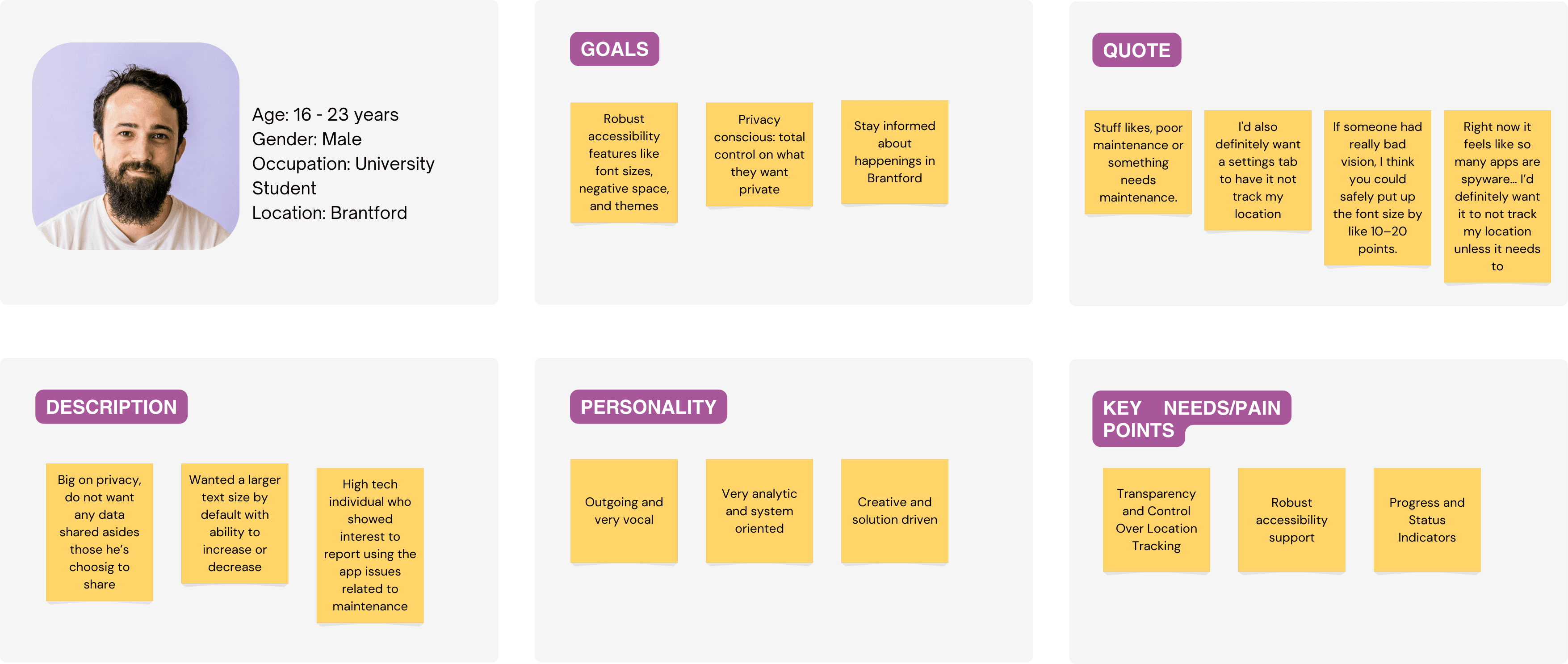
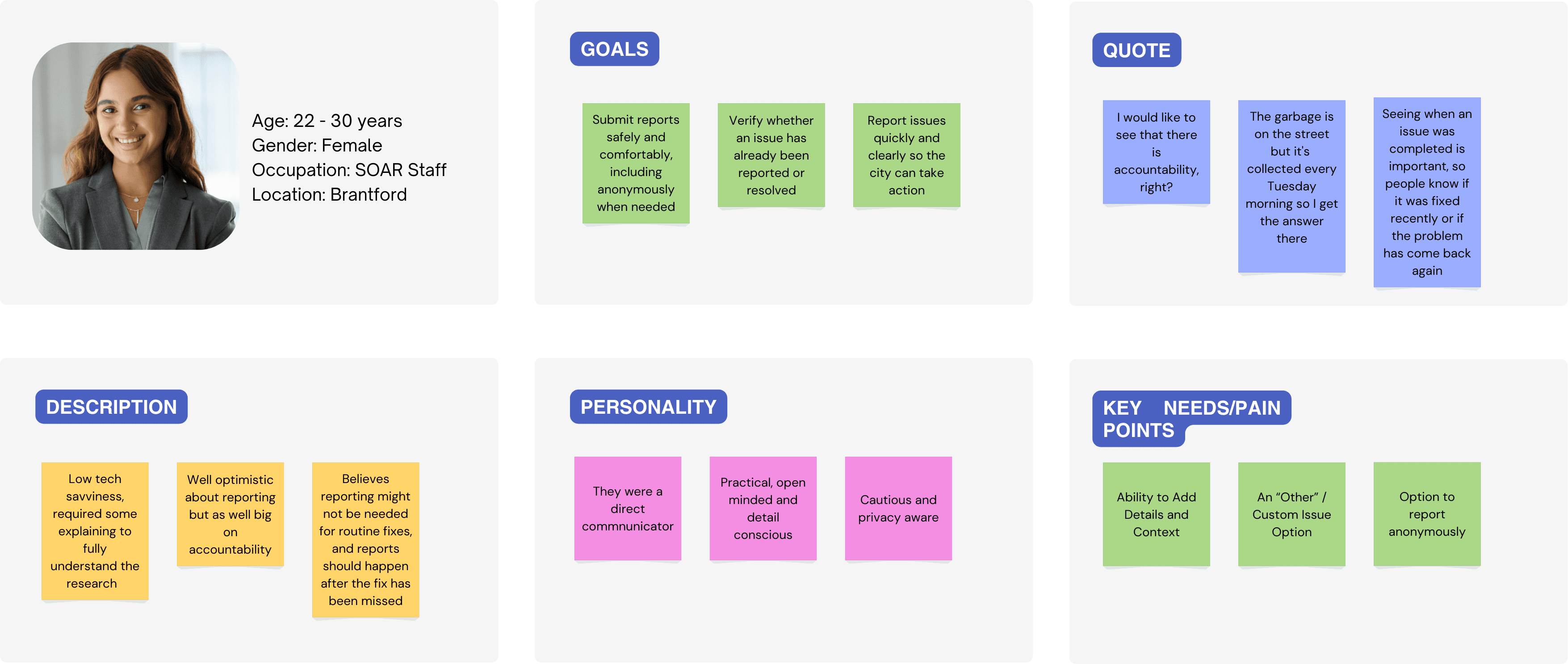
Building Empathy
Using quantitative and qualitative data to define target user profiles
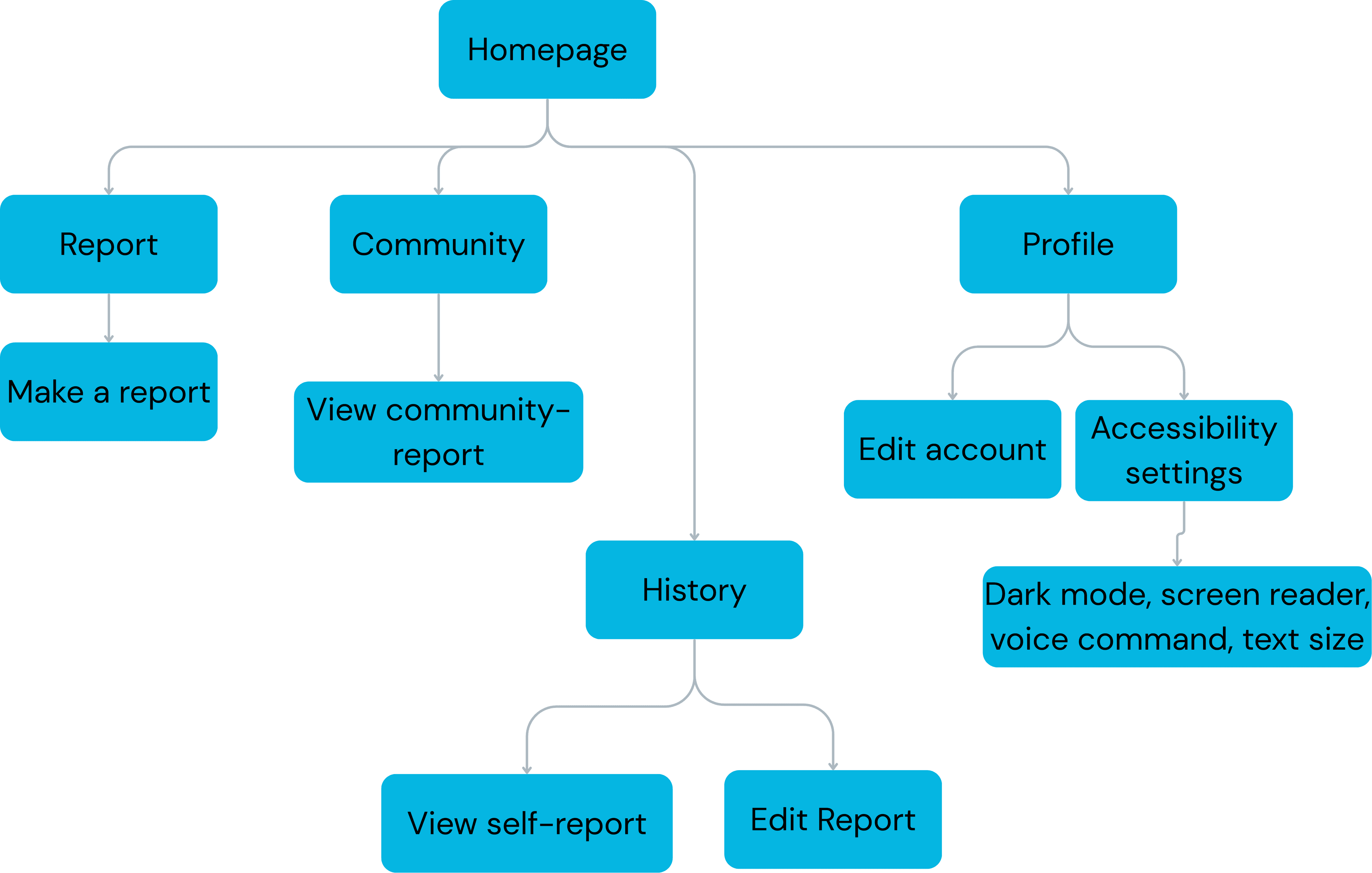
Information Architecture
Based on the insights gained from the initial secondary research, competitor analyzes and Card Sorting of app's core purpose, we defined the sitemap for Brantforward.
Style Guide
Building a cohesive visual language for the Brantforward brand
Primary Blue
#0F62FE
Success Green
#97FF8F
Decline Red
#FF252A
In-progress Orange
#FFB963
Dark Gray
#1F2937
Community Blue
#5AAFFFCC
Headings
IBM Plex Mono
Used for headings and titles
Body Text
Roboto Regular
Used for body content and descriptions
Authentication & Special Elements
Poppins
Used for authentication flow and variety of UI elements
Buttons
Border Radius
2px • 6px • 8px • Full
Testing & Iteration
Evaluating usability, inclusivity, and accessibility through comprehensive user testing
Our solution is named "Brantforward", a live reporting app that bridges the communication gap between residents (locals and students) and the city team of Brantford in a collaborative environment, focusing on non-emergency issues.
Our objective for the user testing was to evaluate the usability, inclusivity, and accessibility of our solution's design. We tested with participants from diverse age groups, tech-savviness levels, and cultural backgrounds to ensure comprehensive perspectives on the app's design and functionality.
Testing Participants
- • 7 total participants across diverse backgrounds
- • 2 local Canadian participants (ages 40-55)
- • 1 African resident (ages 40-55)
- • 1 WLU student (ages 17-25)
- • 1 SOAR team member (ages 22-35)
Based on the scope, challenges, and targeted users, we employed multiple research methods throughout the project duration:
Surveys
Multiple online surveys conducted to reach numerous users inside and outside Brantford, helping us validate assumptions, highlight user needs, and support the direction of our solution.
Usability Tests
In-person and remote testing sessions to observe how users interact with our digital solution, identifying challenges, issues, and strengths for iterative improvements.
Field Observation
Observations in everyday environments using field notes, photos, and environmental mapping to capture real-world conditions and identify subtle behaviors and pain points.
Interviews
Semi-structured field interviews with focused user groups to gain direct insight into users' motivations, frustrations, and expectations.
Selection of Participants
To ensure broad coverage, we explored beyond our immediate environment to meet individuals with different backgrounds. We visited the downtown library (seniors), WLU student commons (students), downtown stores (local business owners), the SOAR community (community-involved individuals), and conducted online tests with participants of different cultures.
Tasks Given
We conducted moderated think-aloud usability test sessions (4-15 minutes each) where participants interacted with our low-fidelity Figma prototype:
- • Navigate the app and make a report
- • Add more details when making a report
- • View the report history screen and report progress
- • Explore the community screen
Testing Environment
Tests were conducted in comfortable environments for participants—both in-person (using phones) and remotely (using laptops) in controlled settings.
From our testing sessions, we identified three key areas requiring attention:
Usability
- •Reporting process was straightforward for most, but some found the initial flow confusing
- •Report history and community screens valued for showing reported and recurring issues
- •Request for multiple notification methods: email, text, phone call
Accessibility
- •Default font sizes were too small, but font size toggle was appreciated
- •Excessive negative space identified as barriers
- •Vision-impaired participants benefited from larger text and high-contrast options
Privacy
- •Concerns about location tracking and digital privacy
- •Suggestion: manual address input instead of auto-geolocation
- •Request for anonymous reporting option
Issues requiring immediate changes (already implemented in lo-fi prototype)
Feedback
Client wanted users to track the progress of submitted reports
Iteration
Added Push Notification Options
Justification
Strengthens communication and increases trust by keeping users informed
Feedback
Users wanted to see what their report would look like after submitting
Iteration
Added Report Preview Page and Edit Information Page
Justification
Helps users review information and reduces errors
Feedback
Users requested clearer visual indicators for tracking submission status
Iteration
Added Progress Bar to show submission steps
Justification
Provides clarity and helps users understand their position in the workflow
Feedback
Users wanted more detailed information when opening reports
Iteration
Added Report Overview Page with location, photos, and full details
Justification
Improves transparency and ensures access to complete information
Feedback
Users wanted to see which areas have recurring issues
Iteration
Added 'Recurring Issues in This Area' section with report tabs
Justification
Helps identify hotspots and supports preventative safety awareness
Feedback
Missing in-app back button
Iteration
Added Back button and Close button to report page
Justification
Creates clearer navigation flow and improves interface intuitiveness
Feedback
Users could not find the submit button
Iteration
Renamed button from 'Complete'/'Finish' to 'Submit'
Justification
Term 'Submit' clearly communicates the process stage and is more recognizable
Feedback
Difficulty navigating to profile page and accessing settings
Iteration
Added Settings button to bottom navigation bar
Justification
Provides clearer, more accessible navigation for accessibility settings
Issues requiring more feedback and discussion (related to workflow)
Feedback
Homepage and report are overlapped / Tab 2 should be a separate page
Plan
We will change the flow – either remove the report tab or make it into reports details page. Need more feedback.
Feedback
Community & History page is confusing
Plan
We need to understand the confusing part - is it UI or the information structure.
Feedback
Accessibility issue (Judges) - what about older adults or people without phones
Plan
We plan to add a 'Kiosk & Text Messaging' feature allowing users to directly report to the service center – need more research on feasibility.
Cultural diversity played a major role in shaping our design adjustments. Testing with participants from different cultures, backgrounds, and walks of life provided valuable insights into our app's usability and inclusivity.
Non-English speaking participants appreciated straightforward instructions and visual cues
Anonymous reporting was important for users hesitant to share personal information
Privacy concerns reflected cultural attitudes toward surveillance, while others valued visibility and community connection as civic action
All participants expressed comfort with English but requested imagery, especially for the report history screen
Design Iterations
Low-Fidelity Wireframes
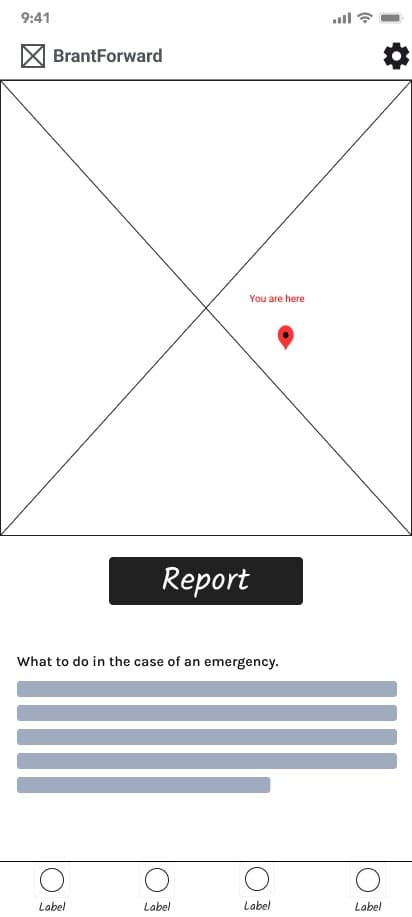
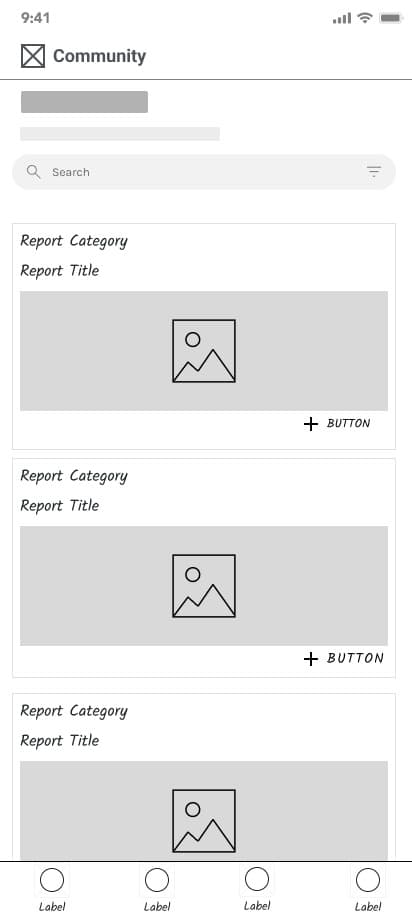
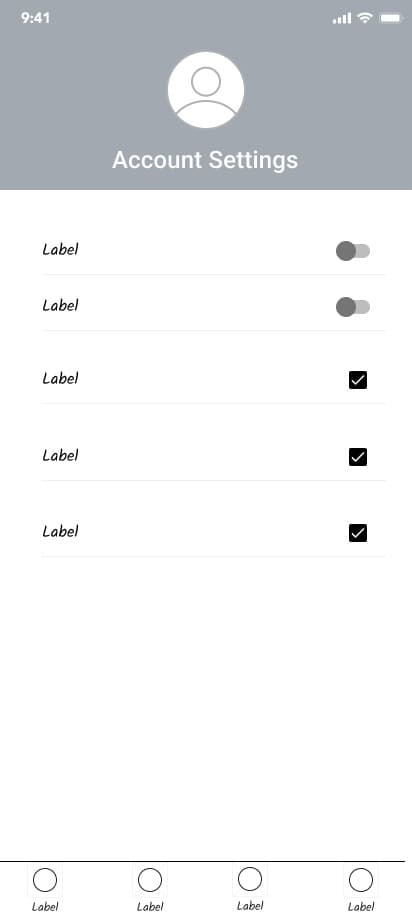
Initial sketches to validate core concepts and user flows
Medium-Fidelity Prototypes
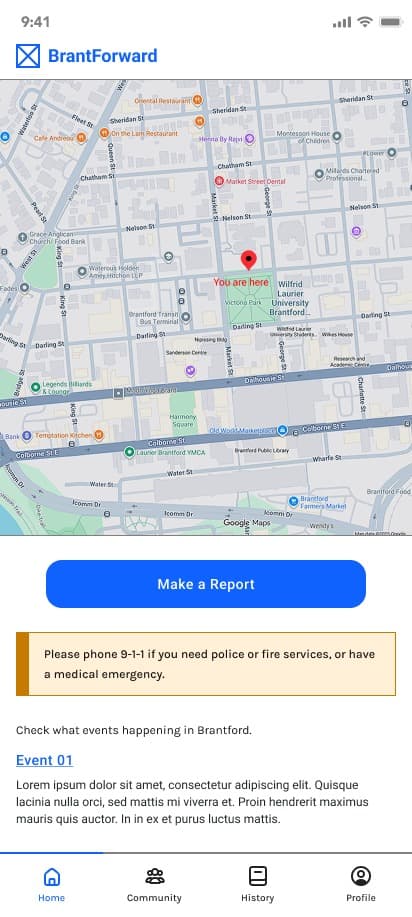
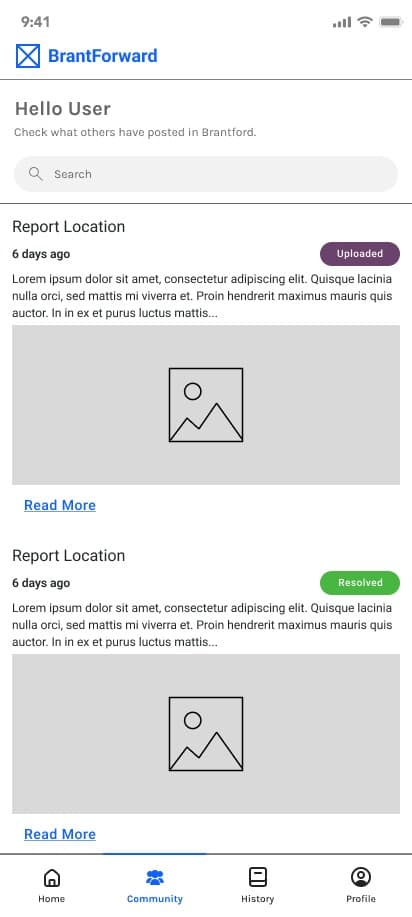
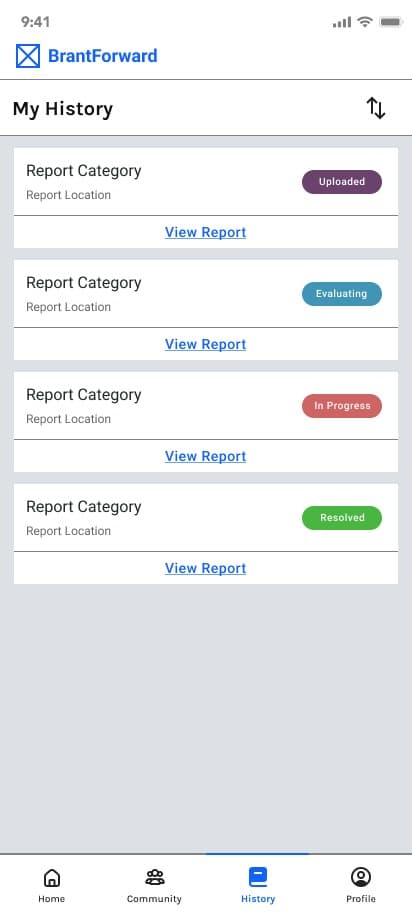
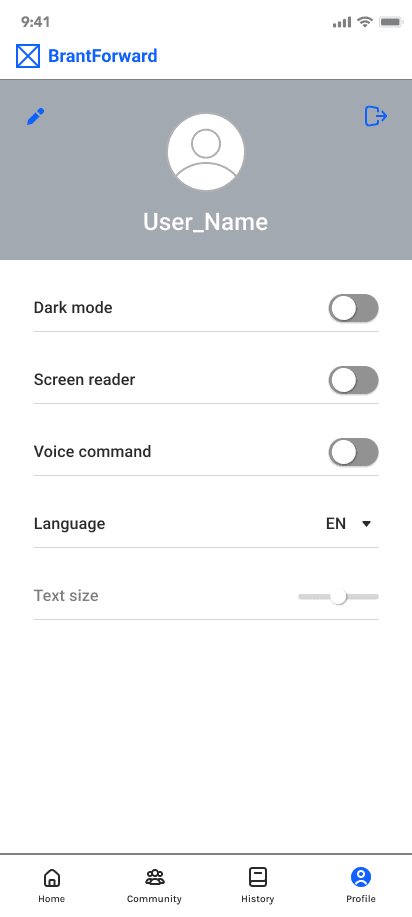
Interactive prototypes with refined layouts for user testing
High-Fidelity Designs
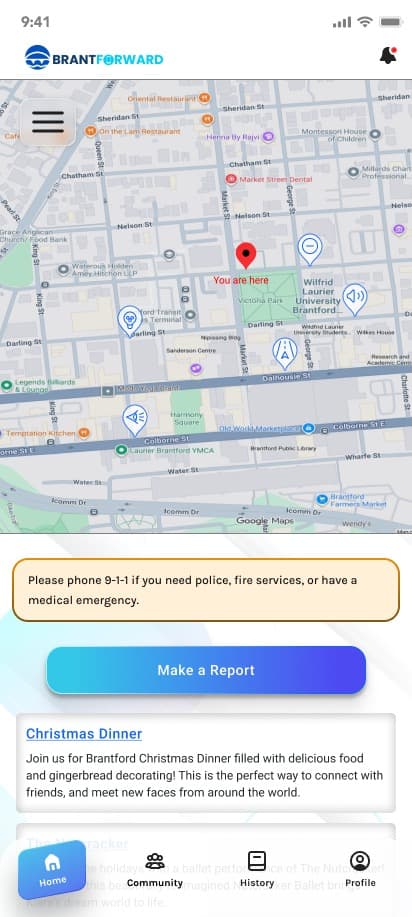
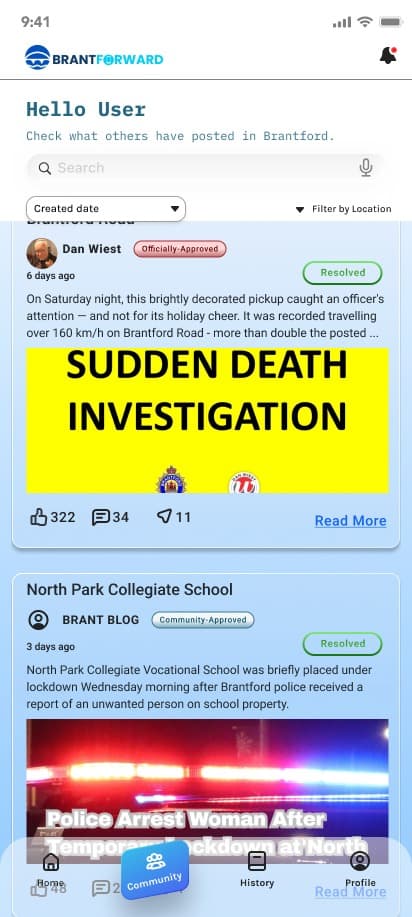
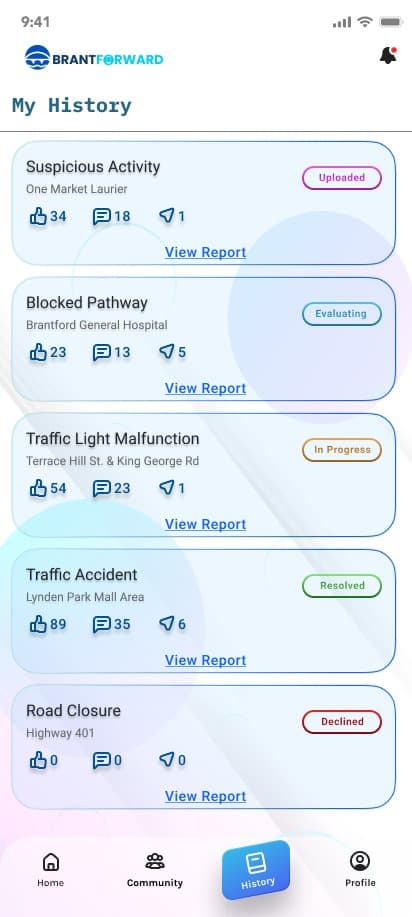
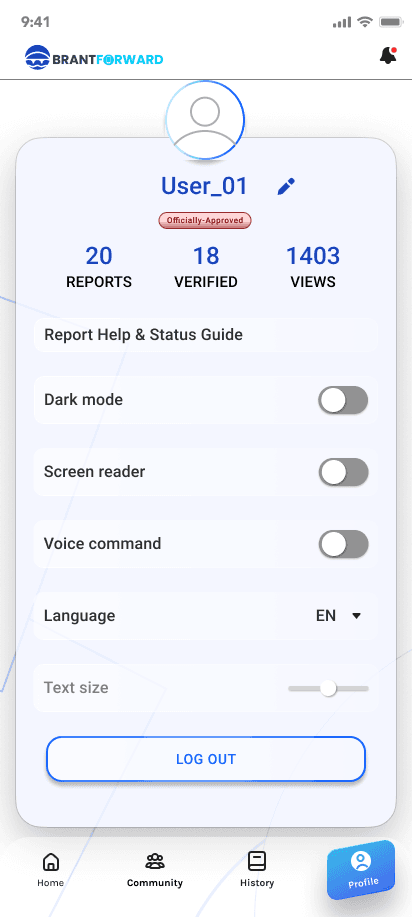
Polished designs with brand colors and micro-interactions
Our testing revealed that while BrantForward's core concept aligned strongly with participants' needs, refinements were necessary in navigation clarity, information requirements, transparency mechanisms, and accessibility features.
Our iterations focused on making reports more actionable, enabling two-way communication between residents and the city team, implementing privacy controls, and ensuring inclusive design that serves Brantford's entire diverse community effectively.
Our next testing phase will validate these improvements with functional prototypes, different research methods, and expanded participant diversity.
Interactive Prototypes
Experience our mobile app and admin dashboard
📱 Mobile Application
Mobile App
Open in Figma📊 Admin Dashboard
Dashboard
Open in FigmaKey Learnings
Early user involvement prevented building unwanted features.
Multiple testing rounds led to a significantly better product.
Designing for inclusivity created a better experience for all.
Regular check-ins ensured alignment with real-world constraints.
Using interviews, surveys, observations, and usability tests together created a more complete understanding of user needs.
Combining design, research, usability analysis, and creative direction allowed each team member's strengths to support a more cohesive project.
Understanding Brantford's unique population, safety concerns, and city–university integration challenges guided more realistic solutions.
Weekly check-ins, shared documents, and role clarity avoided duplication of work and kept the project moving smoothly.
Next Steps
Short-term (0-3 months)
- Reach out to local authorities (for data handling)
- Develop the app
- Test and release the app (Pilot phase)
Long-term (6-12 months)
- City management system integration
- Improvement based on the feedback from the pilot phase
The Team
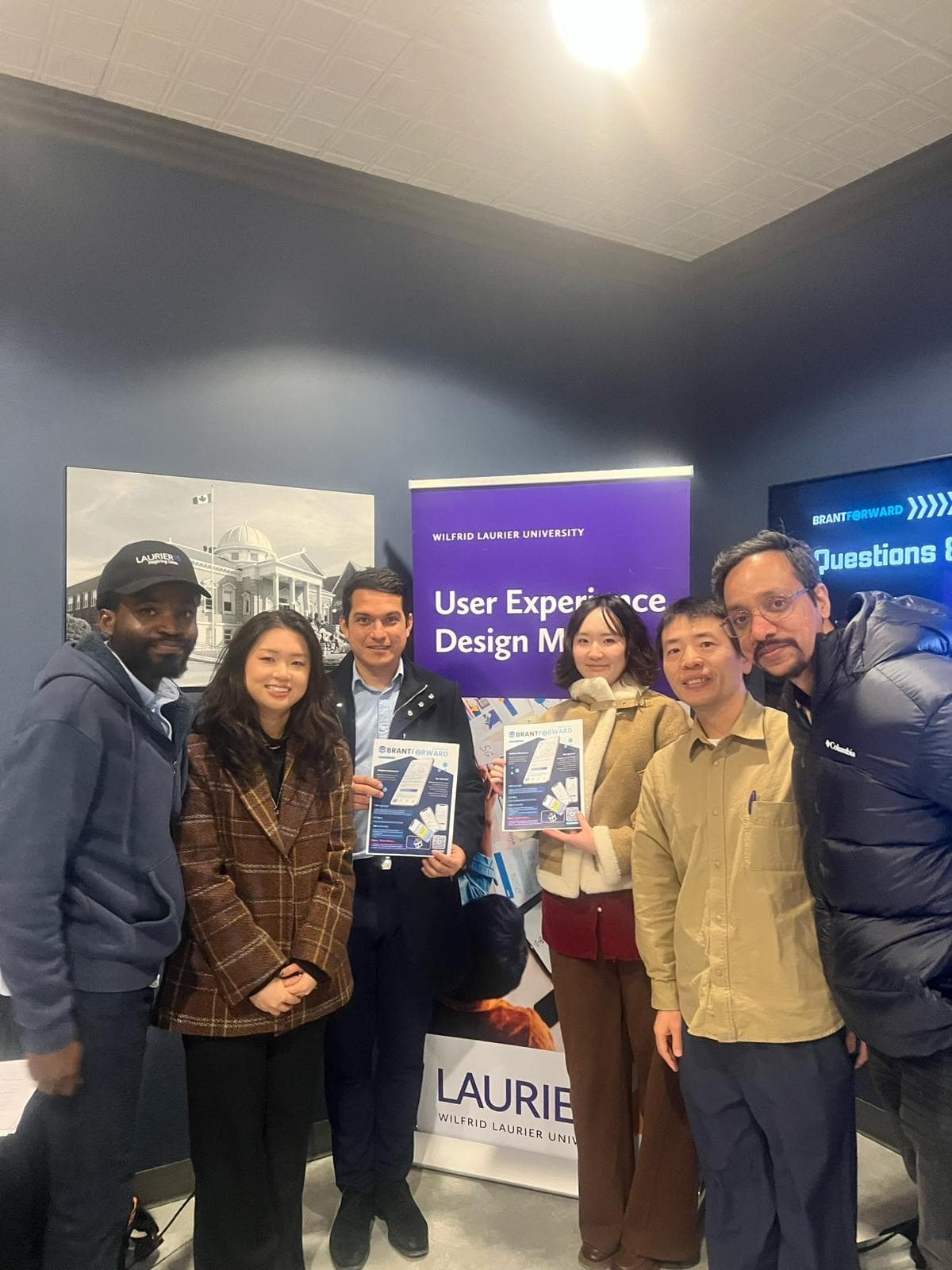
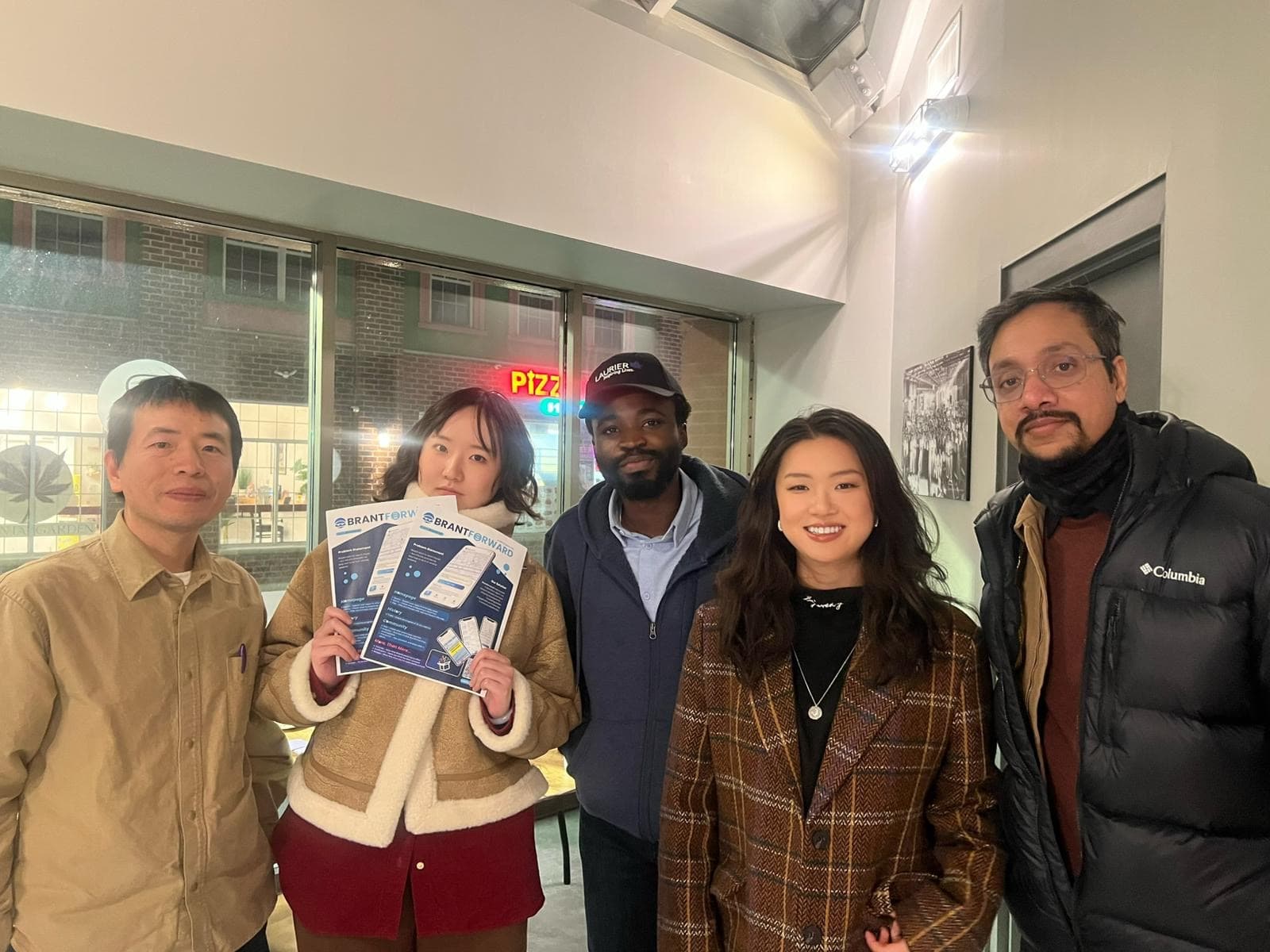
Special Thanks to the Workforce Planning Board of Grand Erie